MCP Setup
Connecting Claude? Connecting MCP servers is the newer, step-by-step guide — logging in (login link, QR code, bearer token), the Claude setup itself, and what to allow when Claude refuses the connection.
Step-by-step setup for connecting your AI assistant to the Aigon MCP server.
Endpoint: https://mcp.aigon.ai/mcp/
The trailing slash matters. The URL must end with
/mcp/(not/mcp). Omitting the trailing slash will cause connection failures.
Authentication is handled automatically via OAuth — a browser window opens for login and consent on first use.
Claude Code
Claude Code supports HTTP transport natively:
claude mcp add aigon-mcp-server --transport http https://mcp.aigon.ai/mcp/
Verify with /mcp — it should show aigon-mcp-server as connected.
Claude Desktop
Add to claude_desktop_config.json:
{
  "mcpServers": {
    "aigon-mcp-server": {
      "type": "http",
      "url": "https://mcp.aigon.ai/mcp/"
    }
  }
}
File location:
- macOS: ~/Library/Application Support/Claude/claude_desktop_config.json
- Windows: %APPDATA%\Claude\claude_desktop_config.json
Restart Claude Desktop after editing.
If your version of Claude Desktop does not support HTTP transport, use mcp-remote as a bridge:
{
  "mcpServers": {
    "aigon-mcp-server": {
      "command": "npx",
      "args": ["mcp-remote", "https://mcp.aigon.ai/mcp/"]
    }
  }
}
If Claude Desktop cannot find npx, use the absolute path to your Node.js installation:
{
  "mcpServers": {
    "aigon-mcp-server": {
      "command": "/path/to/npx",
      "args": ["mcp-remote", "https://mcp.aigon.ai/mcp/"],
      "env": {
        "PATH": "/path/to/node:/usr/local/bin:/usr/bin:/bin"
      }
    }
  }
}
Find your npx path with which npx in your terminal.
Claude.ai
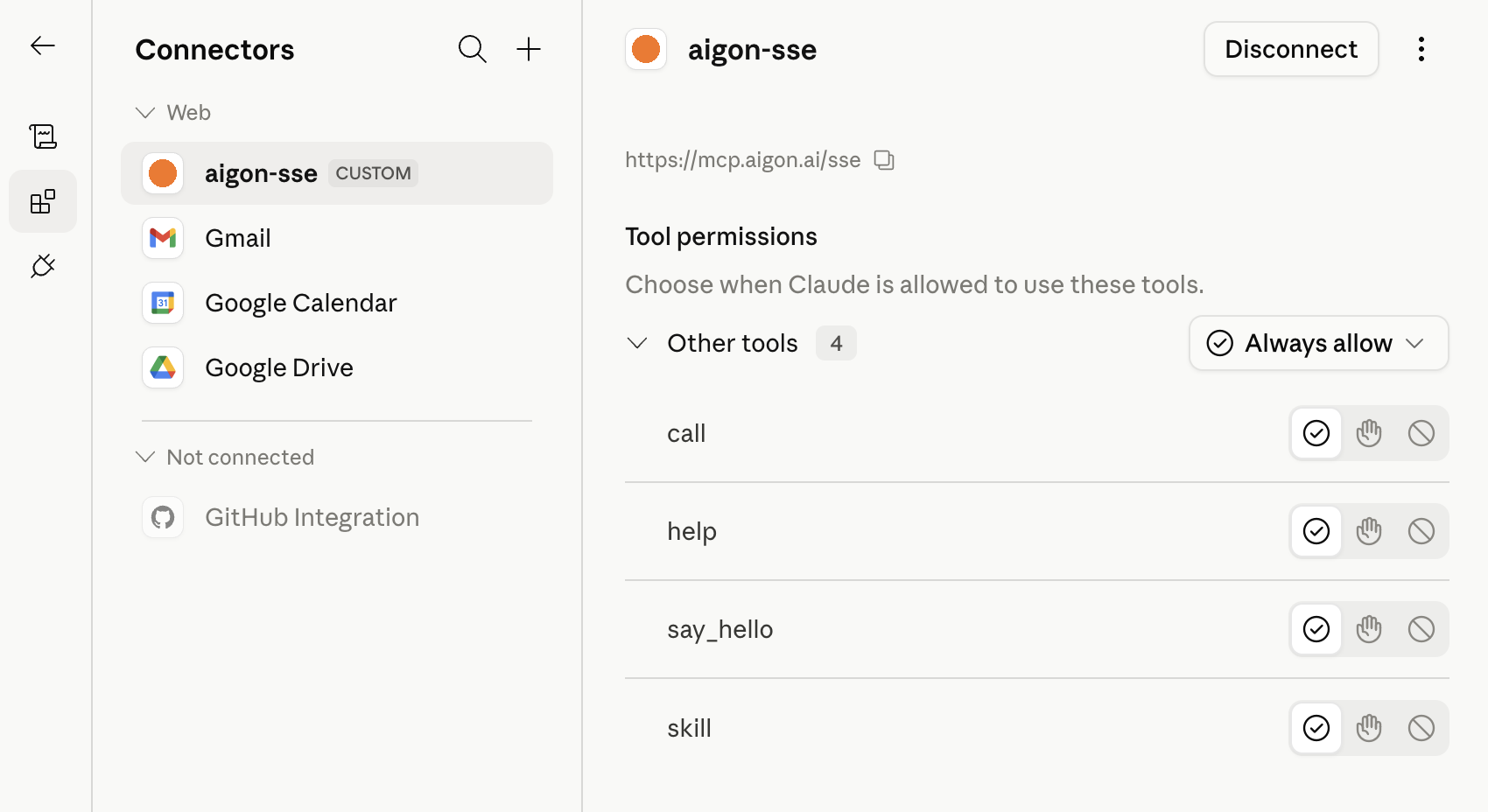
Go to claude.ai/customize/connectors, click + to add a connector, and enter the SSE endpoint:
https://mcp.aigon.ai/sse
Claude.ai connectors currently use SSE transport (not HTTP). Note that when the MCP server restarts you may have to disconnect and reconnect at this URL.
Cursor
Add to .cursor/mcp.json in your project root, or ~/.cursor/mcp.json for global access:
{
  "mcpServers": {
    "aigon-mcp-server": {
      "url": "https://mcp.aigon.ai/mcp/"
    }
  }
}
Cursor supports HTTP transport and OAuth natively.
Gemini CLI
Add to ~/.gemini/settings.json:
{
  "mcpServers": {
    "aigon-mcp-server": {
      "url": "https://mcp.aigon.ai/mcp/"
    }
  }
}
ChatGPT
ChatGPT supports remote MCP servers for Pro, Team, and Enterprise users:
- Go to Settings → Apps & Connectors
- Enable Developer Mode
- Click Add connector
- Enter the server URL:
https://mcp.aigon.ai/mcp/ - Select OAuth for authentication
- Click I trust this application
Once added, enable it in a chat via the + icon → Developer Mode → Add sources.
Other Clients
Any client that supports HTTP transport can connect to:
https://mcp.aigon.ai/mcp/
The server advertises OAuth metadata at /.well-known/oauth-protected-resource. Clients that support OAuth 2.1 will handle authentication automatically. See Authentication for the full flow.
SSE Transport (Fallback)
If your client does not support HTTP transport, the legacy SSE endpoint is available at:
https://mcp.aigon.ai/sse
SSE transport is not recommended for new setups — use HTTP transport where possible.
Troubleshooting
Browser doesn't open for login
The OAuth flow requires a browser. Make sure your MCP client supports OAuth 2.1 with PKCE, or use mcp-remote which handles it.
"aigon-mcp-server" not showing as connected
Check that the endpoint URL is exactly https://mcp.aigon.ai/mcp/ — the trailing slash is required.
Claude Desktop: "npx not found"
Claude Desktop runs in a sandboxed environment and may not see your shell PATH. Use the absolute path to npx as shown above.